How to Record Yourself Lifting to Check Your Form
Recording your lifts can reveal things you can't see while you're training. Here's how to position your phone, choose a useful camera angle and know what to look for afterwards.
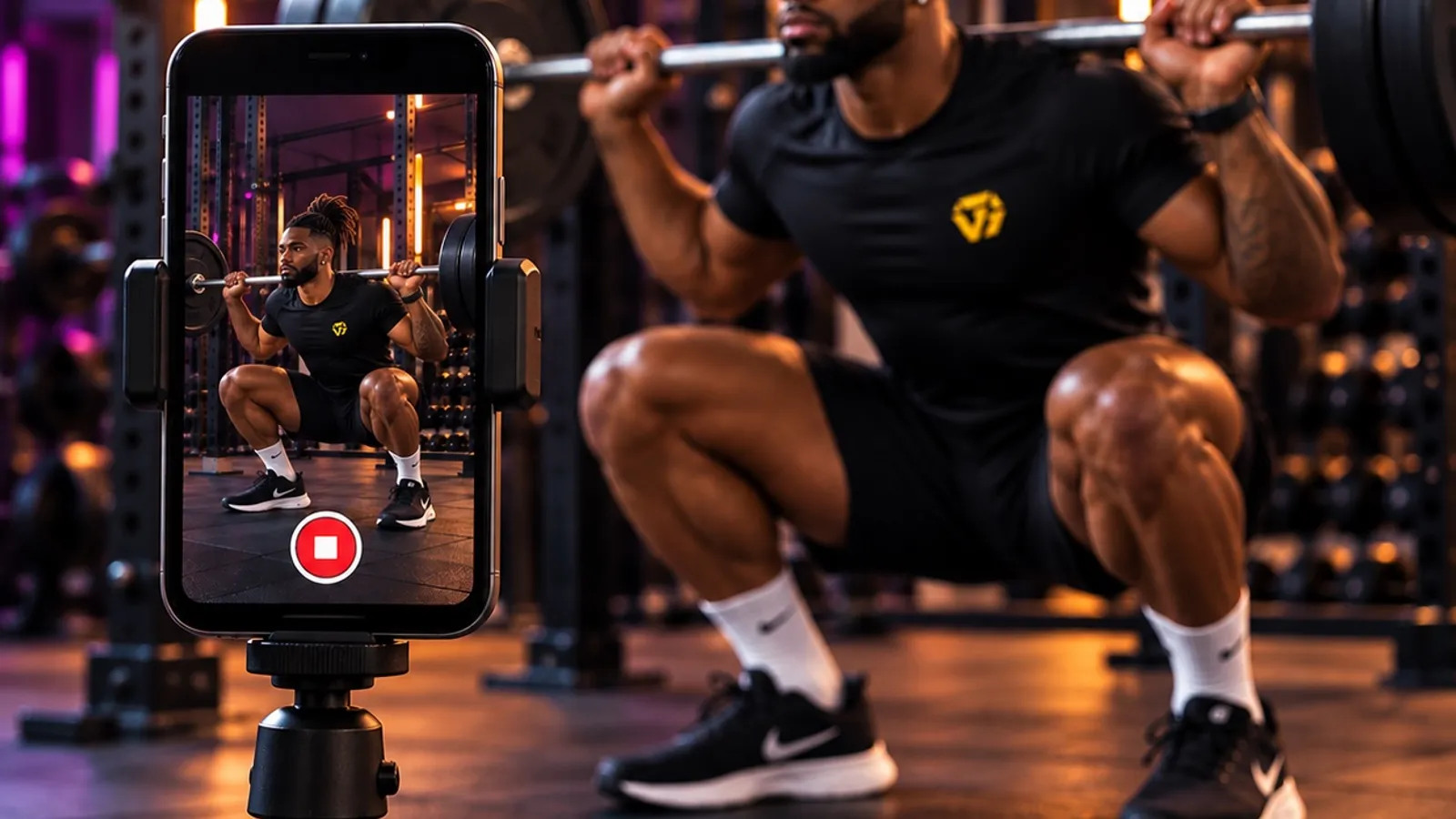
You can’t properly watch your own squat while you’re squatting.
You might feel that something was different, but it’s difficult to know exactly what happened when you’re concentrating on the lift.
A short video can show you what you missed.
You don’t need professional equipment or a complicated setup. Your phone, a stable position and the right camera angle are usually enough.
The important part is recording something you can actually learn from.
Start by recording the whole set
A single rep doesn’t tell you much about what happens as you get tired.
Your first squat might look controlled. By rep eight, your depth may have changed and your knees may be moving differently.
That’s why it’s usually more useful to record the entire working set.
Start recording before you begin the exercise and stop after you’ve finished.
This lets you compare:
- Your first and last reps
- Changes in range of motion
- Changes in tempo
- Left-to-right movement
- How your technique responds to fatigue
Often, the change across the set is more useful than any individual frame.
Keep your whole body in the frame
This sounds obvious, but it’s one of the easiest things to get wrong.
If you’re recording a squat but your feet aren’t visible, you’ve lost useful information about your balance and stance.
If the top of your body disappears during a shoulder press, you can’t see what your torso is doing.
Position the camera far enough away that the parts of your body involved in the movement remain visible throughout every rep.
For most exercises, it’s useful to include:
Your head → torso → hips → knees → feet
For upper-body exercises, make sure the weights and full movement of your arms remain visible too.
Do a quick test before your working set if you’re unsure.
Don’t put the camera on the floor
A very low camera angle can distort what you’re seeing.
It may make depth, joint positions and body angles appear different from how they actually look.
Instead, raise the phone.
For many standing exercises, somewhere around hip height is a useful starting point.
It doesn’t need to be exact.
A small tripod is convenient, but you don’t need one. A secure phone holder or another stable setup can work.
Just don’t balance your phone somewhere it could easily fall or create a hazard for someone else in the gym.
Use the angle that shows what you want to check
There isn’t one perfect camera angle for every exercise.
The best angle depends on what you’re trying to see.
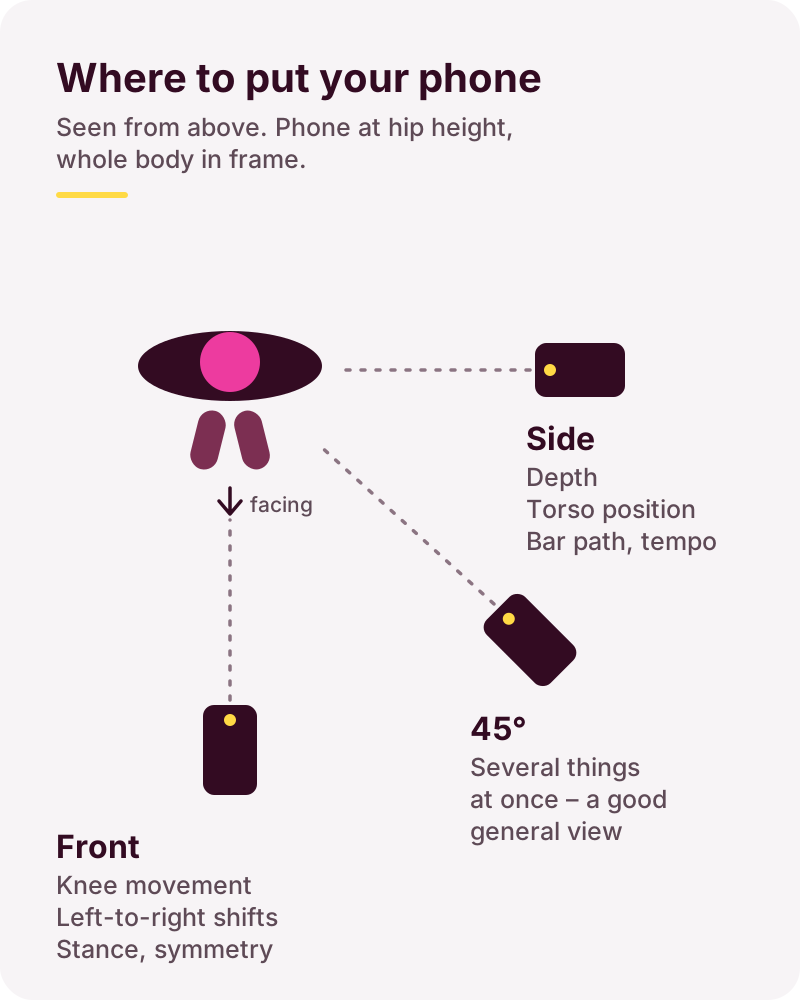
Side view
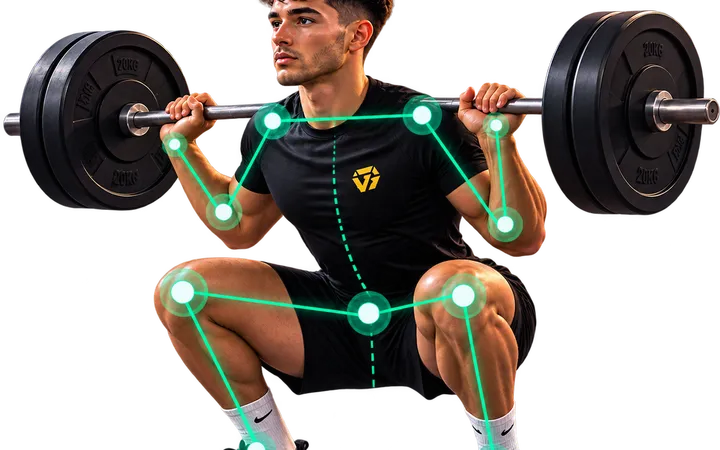
A side view can be useful for looking at things such as:
- Squat depth
- Torso position
- Bar path
- Hip movement
- Range of motion
- Tempo
For a squat, this angle makes it much easier to compare depth between reps.
Front view
A front view can help you see:
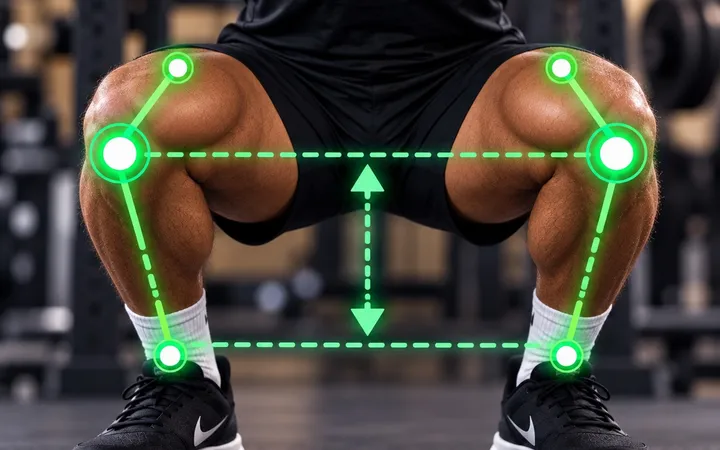
- Knee movement
- Left-to-right shifts
- Differences between sides
- Stance
- Symmetry
For example, you might notice that your hips consistently shift towards one side as you stand up.
45-degree view
A roughly 45-degree angle can give you information from both the front and side.
For many exercises, it’s a useful general-purpose view because you can see several aspects of the movement at once.
But it won’t always be the best angle for a specific question.
If you’re particularly interested in squat depth, for example, a side view will usually tell you more.
Match the camera angle to the exercise
Different exercises reveal different things from different positions.
A useful starting point might look like this:
| Exercise | Useful starting angle |
|---|---|
| Squat | Side or 45° |
| Deadlift | Side or 45° |
| Bench press | Side or 45° |
| Shoulder press | Side or 45° |
| Bicep curl | Side |
| Pull-up | Side or 45° |
| Push-up | Side |
These aren’t strict rules.
If you’re trying to investigate a particular movement, another angle may be more useful.
You can also record different sets from different angles rather than trying to capture everything from one position.
Don’t film too close
You want enough detail to see what’s happening, but putting the camera very close to you creates two problems.
First, parts of your body may leave the frame.
Second, wide-angle phone lenses can distort objects near the edge of the image.
Move the phone far enough away that you’re comfortably inside the frame throughout the movement.
If your gym is busy, make sure the phone isn’t positioned where somebody could walk into it.
Use normal video first
You usually don’t need slow motion.
Normal-speed video lets you see the rhythm of the exercise and whether that rhythm changes as you become tired.
Watch the set normally first.
Then, if there’s a particular rep or movement you want to examine more closely, slow the video down.
Starting with slow motion can sometimes make normal movement look more dramatic than it really is.
Context matters.
Make sure there’s enough light
Your video doesn’t need to look cinematic.
It does need to be clear.
If you’re mostly a dark silhouette against a bright window, it’s going to be difficult to see what’s happening.
Try to position yourself somewhere with reasonable, even lighting.
Also check that your clothes don’t make important positions difficult to see. You don’t need tight gym clothing, but extremely loose clothing can sometimes obscure how your body is moving.
Don’t change your technique because the camera is on
This is an easy trap.
You press record and suddenly every rep becomes unusually slow and deliberate because you know you’re being filmed.
Now you’re analysing a version of your exercise that isn’t representative of how you normally train.
Once you’ve checked that the camera position is right, perform the set normally.
You want to see what actually happens when you train.
What should you look for afterwards?
Don’t watch the video and immediately try to find ten things wrong with yourself.
Start with one question:
What changed across the set?
Compare your early reps with your later ones.
Look at:
- Range of motion
- Balance
- Tempo
- Joint movement
- Torso position
- Left-to-right differences
- Overall control
Suppose you’re watching a squat.
Your first five reps have similar depth and tempo.
On rep six, you start coming up slightly faster.
On seven, your depth decreases.
On eight, your knees begin moving noticeably inward.
Now you have something specific to work with.
That’s far more useful than simply deciding:
“My squat form is bad.”
Compare like with like
If you’re tracking your form over time, try to keep the recording setup reasonably consistent.
If one video is taken from floor level directly in front of you and the next is taken from hip height at 45 degrees, comparisons become harder.
You don’t need millimetre-perfect camera placement.
Just aim for roughly the same:
- Camera angle
- Camera height
- Distance
- Exercise variation
Then you can make more meaningful comparisons between sessions.
Be careful what you diagnose from a video
A video can show you what happened.
It doesn’t always tell you why it happened.
For example, you may be able to see that your knee moves inward during a squat.
The video alone doesn’t necessarily tell you the cause.
Avoid jumping from:
“My knee moved inward”
to:
“I have a mobility problem.”
There may be several possible explanations, and a video isn’t a medical assessment.
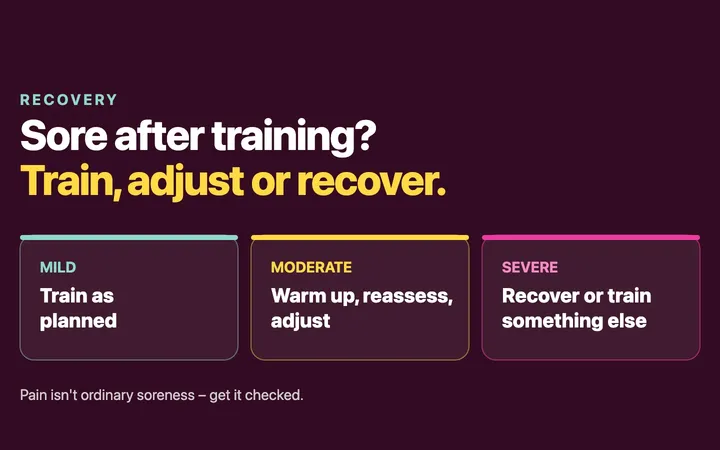
If you’re experiencing pain, persistent discomfort or you’re concerned about an injury, speak to an appropriately qualified healthcare professional.
The goal isn’t a perfect-looking rep
Recording yourself isn’t about finding every tiny deviation from an imaginary perfect technique.
It’s about getting information you couldn’t see while you were lifting.
Sometimes the video confirms that your movement is consistent.
Sometimes it shows that something changes as you become tired.
Both are useful.
Set the phone up properly.
Record the whole set.
Watch what changes.
Then decide whether there’s actually something worth adjusting.
See what changes across your reps
Watching your own videos is useful. Knowing exactly what to look for can be harder.
On supported lifts, including the bodyweight squat, Trayner Form Check analyses your recorded exercise across your reps and helps highlight where your movement stays consistent and where it starts to change.
So instead of simply recording your training, you have something specific to pay attention to on your next set.